Permissions & Roles
Using permissions and roles to control store access.
Permissions and Roles
A guide to using roles & granular permissions available in version v1.4.0 and newer.
This guide uses the terms "Vendors" and "Stores" interchangably. In this context, they mean the same thing.
They both refer to the currently enabled store in the dashboard and applies to you only if you have "Allow normal users to create shops" setting on.
Overview
Roles are a new system introduced to improve the permission granularity and control over your page. Using roles, you can differentiate the permissions level for each user - for example, give a specific person permissions to exclusively view other people's products - without outright granting them full Admin permissions.
Roles can have multiple permission flags enabled, allowing to selectively choose which actions a user is able to perform.
Permission flags naming convention
The permission flags are defined in the following convention:
resource.action.(scope)For example, in a case where the resource in question is Products, the action is Viewing (Listing) Products and the scope is self (which means the user can only view their own products - products within their own store), the permission key looks like:
products.view.selfScope naming convention
- Any permissions (permissions ending with
.any) imply administrative overrides to viewing, editing and deleting resources. Users with this permission will ignore vendor-specific filtering. - Self permissions (permission ending with
.self) imply only resources within the user's store unit are available.
Wildcard Permission
The wildcard permission * overrides all other permissions and gives the user total control over the page.
Adding any other permission along with the * wildcard permission is not necessary and will be ignored.
Giving someone a role with the * wildcard is the same behavior to how the admin status toggle worked prior to
v1.4.0.
Permission Presets
There are two permission presets available at the moment:
Adminpreset - allows*wildcardUserpreset - allows permissions marked as "Most Commonly Applicable For" -> "Regular User" in the reference table
They can be loaded at any point from the role editing page (Roles -> [Role Name]).
Assigning roles via CLI
If you've locked yourself out, or after upgrading to 1.4.0 and not automatically receiving the role, you can use the Artisan command to assign a role via the CLI:
php artisan role:assign --user=admin@admin.com --role=AdminReplace the email with your own, and optionally, the role name too.
In an interactive CLI, you may also omit the flag options to use a search prompt, simply run: php artisan role:assign.
If you're using Docker, you can run this command via:
docker compose exec -it app php artisan role:assign --user=admin@admin.com --role=AdminPermissions Reference Table
| Permission key | Description | Most Commonly Applicable For |
|---|---|---|
* | Allows all actions (wildcard). | Admin |
access-admin | Access the admin dashboard. | Regular user |
categories.view | View categories. | |
categories.create | Create categories. | |
categories.edit | Edit categories. | |
categories.delete | Delete categories. | |
products.view.any | View products in any store. | |
products.view.self | View products in the currently selected store. | Regular user |
products.create | Create products. | Regular user |
products.edit.any | Edit products in any store. | |
products.edit.self | Edit products in the currently selected store. | Regular user |
products.delete.any | Delete products in any store. | |
products.delete.self | Delete products in the currently selected store. | Regular user |
products.feature | Feature products. | |
products.manage-visibility | Manage product visibility. | |
products.restore | Restore soft-deleted products. | |
products.force-delete | Permanently delete products. | |
coupons.view.any | View coupon codes in any store. | |
coupons.view.self | View coupon codes in the currently selected store. | Regular user |
coupons.create | Create coupon codes. | Regular user |
coupons.edit.any | Edit coupon codes in any store. | |
coupons.edit.self | Edit coupon codes in the currently selected store. | Regular user |
coupons.delete.any | Delete coupon codes in any store. | |
coupons.delete.self | Delete coupon codes in the currently selected store. | Regular user |
licenses.view.any | View licenses in any store. | |
licenses.view.self | View licenses in the currently selected store. | Regular user |
licenses.create | Create licenses. | Regular user |
licenses.edit.any | Edit licenses in any store. | |
licenses.edit.self | Edit licenses in the currently selected store. | Regular user |
licenses.delete.any | Delete any license. | |
transactions.view.any | View transactions in any store. | |
transactions.view.self | View transactions in the currently selected store. | Regular user |
transactions.edit.any | Edit transactions in any store. | |
transactions.edit.self | Edit transactions in the currently selected store. | Regular user |
transactions.delete.self | Delete transactions in the currently selected store. | |
transactions.delete.any | Delete transactions in any store. | |
orders.view | View orders. | |
orders.edit | Edit orders. | |
orders.delete | Delete orders. | |
reviews.view.any | View reviews in any store. | |
reviews.view.self | View reviews in the currently selected store. | Regular user |
reviews.create | Create reviews. | |
reviews.edit.any | Edit reviews in any store. | |
reviews.edit.self | Edit reviews in the currently selected store. | Regular user |
reviews.delete.any | Delete reviews in any store. | |
approval-queue.view | View approval queue. | |
approval-queue.approve | Approve items in queue. | |
vendors.view | View vendors. | |
vendors.edit | Edit vendors. | |
vendors.create-stores | Create stores. | Regular user |
vendors.bypass-approval | Bypass vendor approval. | |
users.view | View users. | |
users.edit | Edit users. | |
users.ban | Ban users. | |
landing-reviews.edit | Edit landing page reviews. | |
gateways.view | View payment gateways. | |
gateways.edit | Edit payment gateways. | |
roles.view | View roles. | |
roles.edit | Edit roles. | |
currencies.view | View currencies. | |
currencies.edit | Edit currencies. | |
api-keys.view | View API keys. | |
api-keys.edit | Edit API keys. | |
webhooks.view | View webhooks. | |
webhooks.edit | Edit webhooks. | |
audit-logs.view | View audit logs. | |
audit-logs.edit | Edit audit logs. | |
audit-logs.delete | Delete audit logs. | |
settings.view | View settings. | |
settings.edit | Edit settings. | |
settings.export | Export settings. | |
logs.view | View logs. | |
logs.purge | Purge logs. | |
custom-pages.manage | Manage custom pages. | |
mail-templates.view | View mail templates. | |
mail-templates.edit | Edit mail templates. | |
mail-logs.view | View mail logs. | |
mail-logs.delete | Delete mail logs. |
Creating and associating roles
Note: Below screenshots display a provisional version of the permissions system
(v1.4.0-beta) and might not represent the current state of the permissions list and features. Please refer to the
reference table above for up-to-date information.
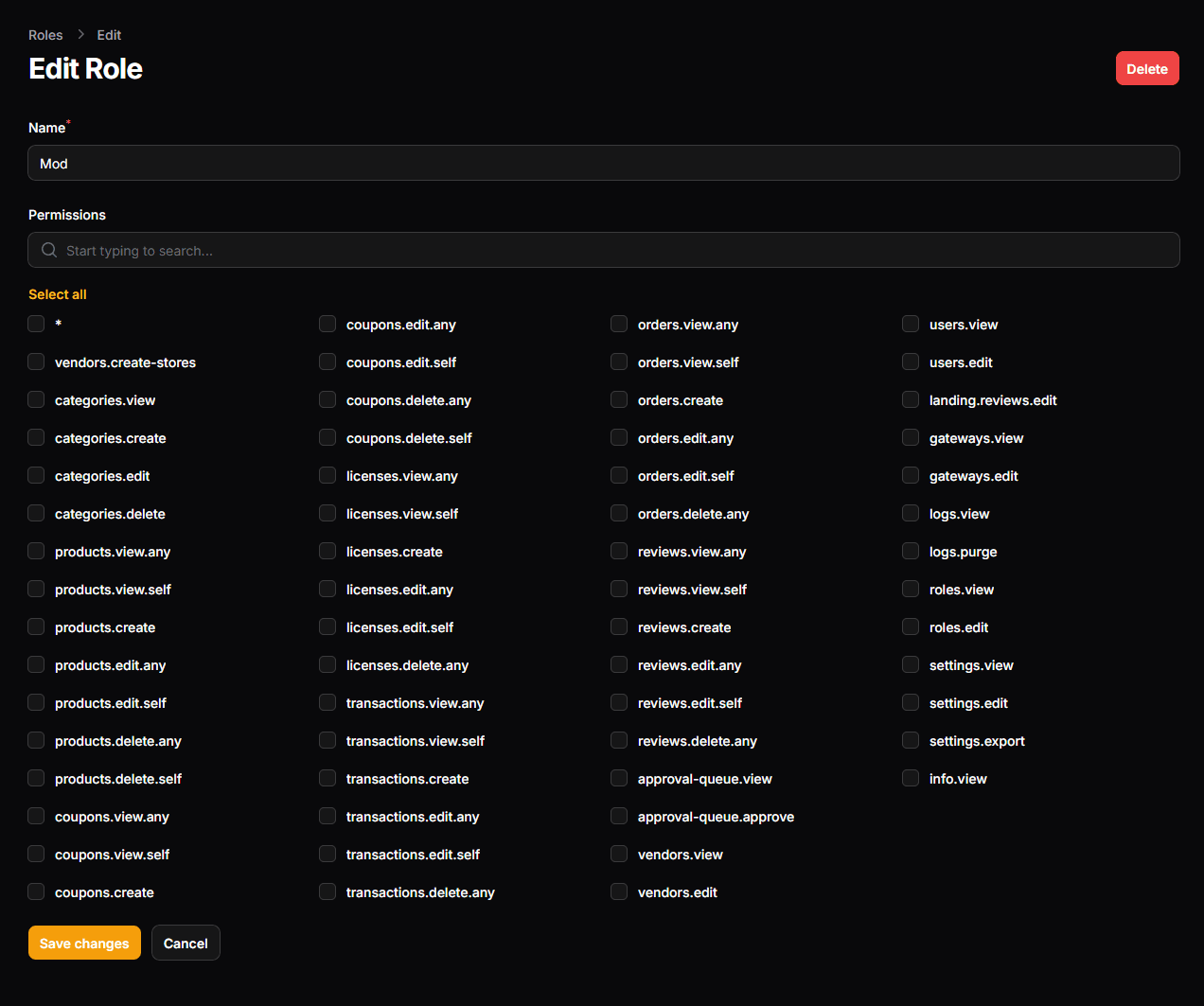
Roles can be named and permissions can be assigned to them.
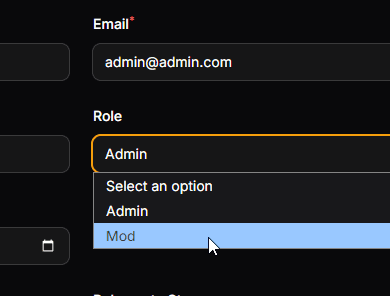
Once a role is created, it can be associated to a given user, via the Users tab: